Realistic Plane Crashing RPCS Scripts & Tools
What executor scripts claim for plane-crash sandboxes, why RPCS needs caution, and safer alternatives for exploration play.
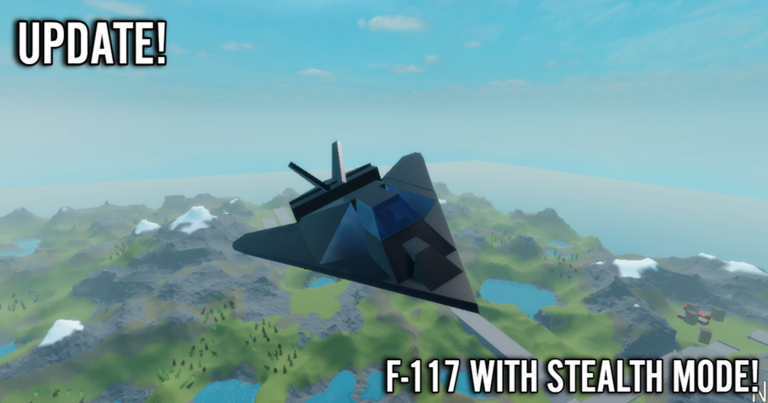
This Scripts Hub covers community executor tools people search for around Realistic Plane Crashing / Realistic Plane Crash Simulator (RPCS) on Roblox. RPCS is a sandbox built around spawning vehicles and watching realistic breakup physics. Most public “plane crash” scripts you will find online target other places — especially Plane crash physics X — and will not inject cleanly into RPCS.
Use this page to understand categories of tools, account risks, and how to get spectacular crashes without relying on unpaid pastebins.
Important safety notes
- Third-party executors violate Roblox Terms of Use and can lead to bans.
- Key systems, Discord “free script” invites, and random loadstrings are common malware vectors.
- Even “client-sided” spawn or fly tools can desync multiplayer sessions and ruin shared crash shows.
- This wiki never requires scripts for badges, map exploration, or learning controls.
If your goal is cinematic crashes, practice aircraft from the tier list, study the crash physics guide, and film with Roblox’s built-in recorder or an external capture tool.
What script pages usually advertise
Community catalogs for related plane-crash experiences commonly list features such as:
- Plane / vehicle spawners — fire remotes to spawn named aircraft, sometimes including gamepass-locked models.
- No-cooldown spawn — remove wait timers between spawns for rapid crash montages.
- Flight assists — auto-pilot, speed boosts, or noclip that flatten the intentional difficulty of flight models.
- GUI hubs (Rayfield and similar) — bundled menus wrapping multiple remotes in one window.
For Plane crash physics X, public examples include simple SpawnCar remote fires and larger Rayfield hubs. Those remotes are game-specific. Pasting them into RPCS typically errors because ReplicatedStorage paths differ.
RPCS-specific reality check
RPCS already exposes a large legitimate spawn list (100+ vehicles). The friction players feel is usually:
- Hard flight handling (called out in the official description)
- Learning island / ocean landmarks for badges
- Finding photogenic crash angles
Scripts do not solve badge hunting for the kitty, treasure, wrecked ship, crashed plane, or Flying Base 2.0 — those require map presence. Follow the Easter eggs guide instead.
Before experimenting with any external tool, confirm you are in the correct place via the links hub (11302512567). Running a physics-X spawner inside RPCS wastes time and can crash your client.
Safer workflow for crash creators
Creators who recreate famous accidents in RPCS (a popular YouTube niche) usually stick to vanilla tools:
- Join a low-population server so debris stays readable.
- Spawn an airliner or fighter from the native menu — see Vehicles.
- Set up approach paths using the map guide.
- Accept stalls and spins; the controls page explains expected difficulty.
- Capture multiple takes; edit the best impact angles together.
That workflow matches how community recreation series are filmed and keeps accounts safer than executor hops.
If you still evaluate scripts
When researching tools for any Roblox plane sandbox:
- Prefer sources that name the exact place ID they support.
- Read comments for “patched” / “wrong game” reports dated after the last game update.
- Never enter Roblox passwords into script sites.
- Disable auto-execute; run once after the world fully loads.
- Stop immediately if remotes error — you are likely in the wrong experience.
Pair this hub with Updates so you know when RPCS patches might change client behavior. New players should start at Getting Started before chasing advanced tooling.
Scripts vs codes confusion
Some players arrive here after failing to redeem Crash Points codes. Remember: RPCS currently has no active promo-code loop — see the Codes Hub. Scripts cannot invent a redeem UI that the place does not implement.
Related pages
- Codes Hub — promo-code status for RPCS
- Guides Hub — vanilla tutorials
- Crash physics — how breakup behaves
- Vehicles Hub — what you can spawn legally
Enjoy Realistic Plane Crashing for the sandbox spectacle. Treat scripts as optional, high-risk, and often mismatched to RPCS — the best crashes still come from practice, camera work, and the stock vehicle roster.
Frequently Asked Questions
Quick answers about Realistic Plane Crash Simulator.
Do Realistic Plane Crash Simulator scripts exist?
Most public plane-crash scripts target other places such as Plane crash physics X. RPCS uses different remotes, so mismatched loadstrings usually fail.
Are scripts required for badges?
No. Easter egg badges need exploration on the islands and ocean. Scripts cannot safely replace finding the kitty, treasure, ship, crashed plane, or Flying Base 2.0.
Is using an executor allowed?
Third-party executors break Roblox Terms of Use and can get accounts moderated. This wiki focuses on vanilla gameplay.
What is a safer alternative for crash videos?
Use the built-in spawn menu, practice approaches from the guides, and record with Roblox or external capture software on a quiet server.